
The Jalona method
A project kept, from promise to proof.
Six steps, all in Jalona. What is promised at the start is written down, what is delivered is approved by the client, and what you learn feeds the next project.
- Frame
- Set the baseline
- Deliver
- Get approval
- Close
- Start again
- Frame
- Set the baseline
- Deliver
- Get approval
- Close
- Start again
- Lessons flow back into framing the next project
Step 1 of 6 · All plans
Frame
Write down what is promised.
Before the first task, the project charter sets the objective, the scope, what is out of scope, the deliverables and the budget. The client reads it in Jalona: everyone starts from the same page.
- Objective, in scope and out of scope
- Deliverables, one per line
- Budget in Guinean francs, CFA francs, euros or dollars
- Company fields: project code, funder
The administrator writes, the client reads.
Step 2 of 6 · With Premium
Set the baseline
Keep track of the promised dates.
Milestones split the project into dated stages. One click sets the schedule: every shift is then measured against the baseline, in days, milestone by milestone and for delivery.
- Dated milestones, each with its tasks
- Variance shown in days: late or early
- A milestone added later is marked as outside the baseline
- You can reset it, and the log keeps the change
The administrator sets it, the client sees the variances.
Step 3 of 6 · All plans, advanced tools with Premium
Deliver
Do the work, lose nothing.
The board tracks tasks, dependencies flag what is blocked, workload per person shows who is overloaded, absences included. Reminders fire before the due date, then the day after a delay.
- Board, list, calendar and timeline views
- Dependencies, workload per person, short cycles
- Time spent against estimate and hours budget
- Progress update every Monday to members, client included
The team delivers, the client follows.
Step 4 of 6 · All plans
Get approval
The client approves each milestone in Jalona.
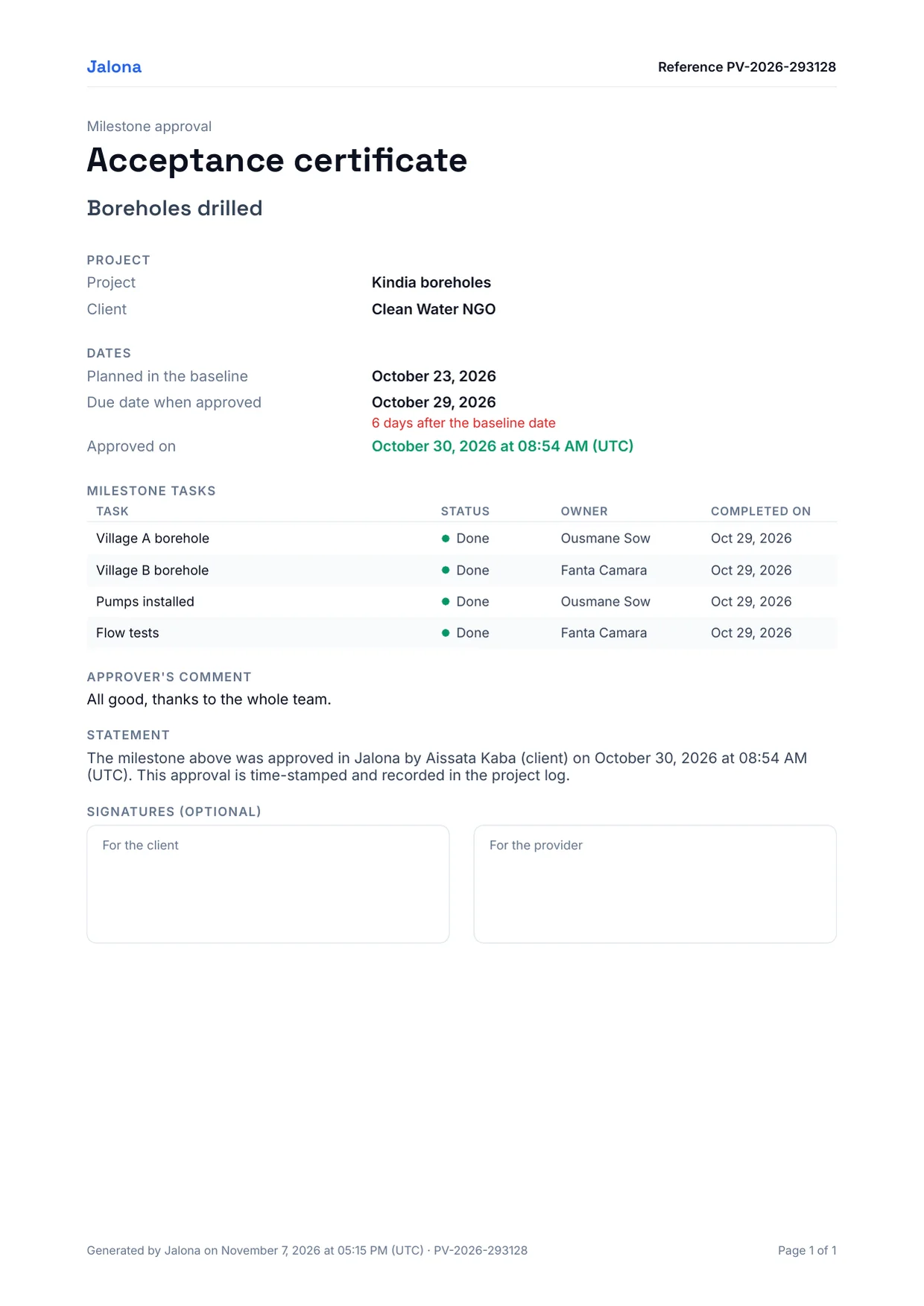
When a milestone is ready, the client approves it from their account, with a comment if they wish. The approval is dated, in their name, and produces an acceptance certificate as a PDF. The milestone's tasks are then locked: the overview can no longer contradict what was approved.
- Acceptance certificate as a PDF, unique reference, ready to print and sign
- Locked tasks: status, milestone link, deletion
- To correct, withdraw the approval, then the client approves again
- Administrators are notified of every approval
The client approves, the team gets the certificate.
Step 5 of 6 · All plans
Close
Compare planned and actual.
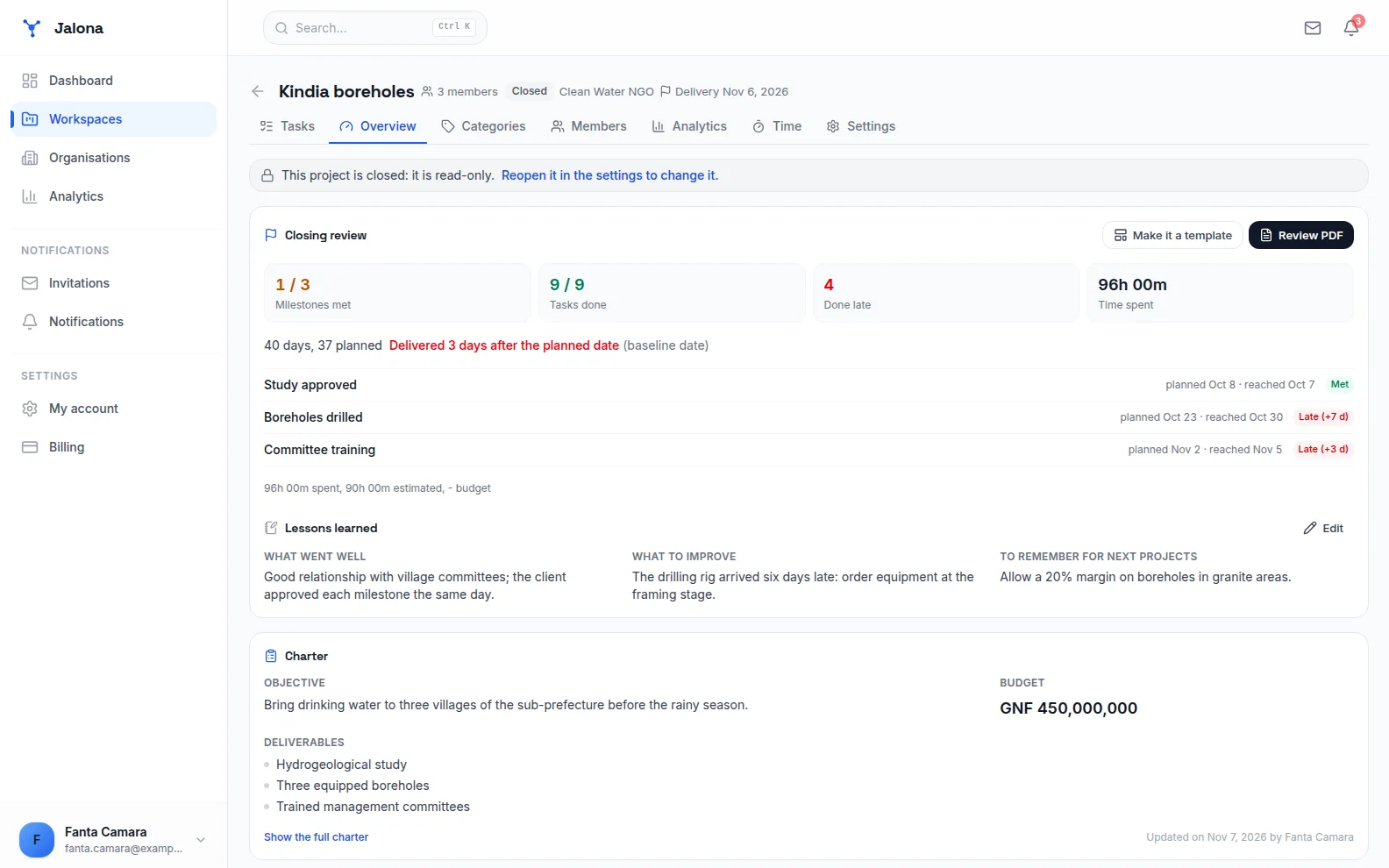
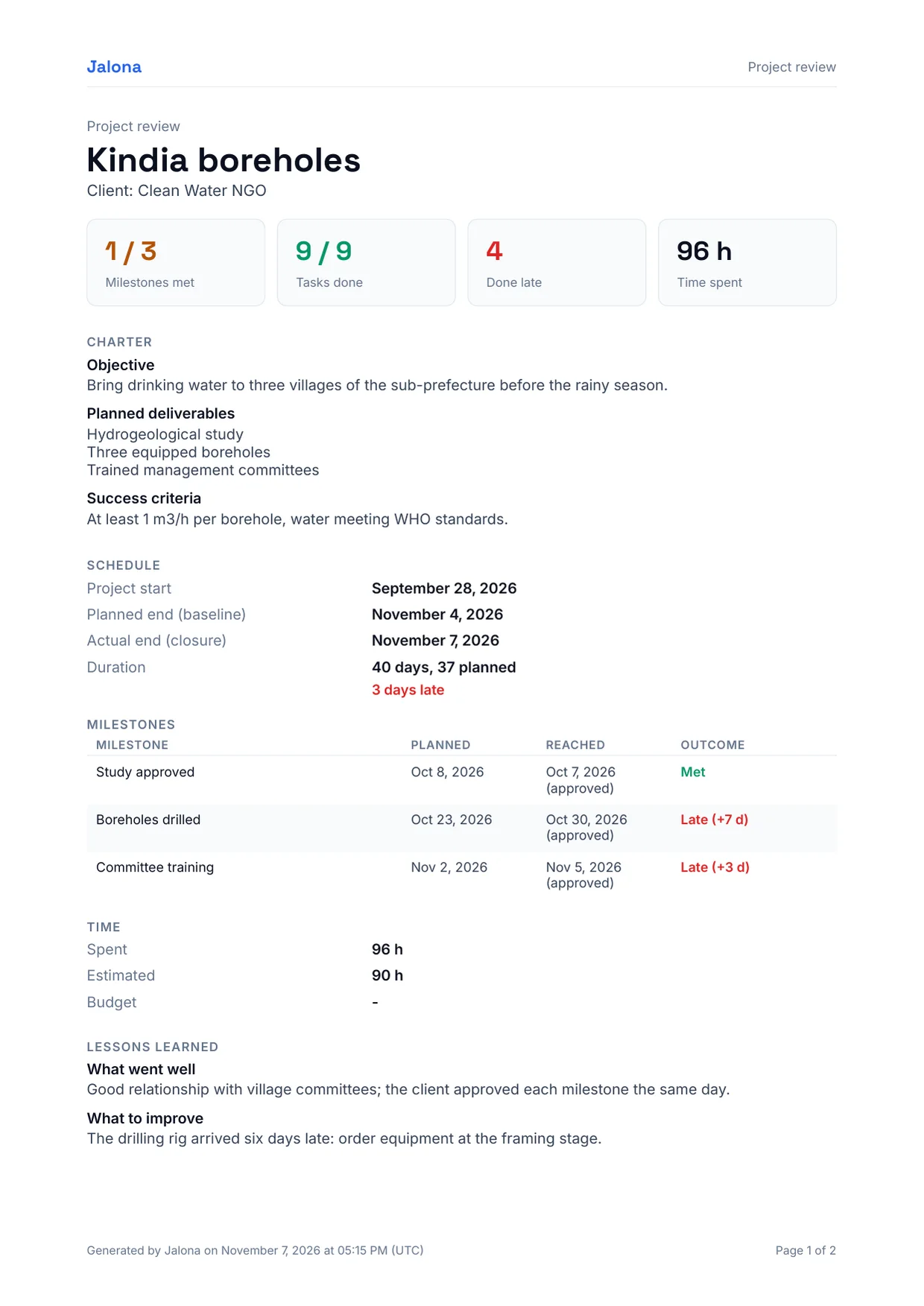
At closing, the review computes itself: planned versus actual duration, milestones met or not, tasks done late, time spent. The team adds what it learned, in a few lines.
- Milestones met, late or not reached
- Variance on the delivery date
- Lessons learned: what worked, what to improve
- Review as a PDF, without the team's time for the client
Everyone reads the review, the team keeps its time to itself.
Step 6 of 6 · With Premium
Start again
The next project starts from what really happened.
A closed project becomes a template. It keeps the durations actually observed, not the original plan, carries the charter over and shows the previous project's lessons when the next one starts.
- Actual durations of milestones and delivery
- Charter carried over, budget to set
- Lessons shown when picking the template
- Tasks, columns, dependencies and estimates carried over
The administrator makes it a template, the next project starts better.
Screenshots
What you see in Jalona.
The overview of a closed project, a milestone's acceptance certificate and the review, as the app produces them.
The client
The client at every step, without seeing behind the scenes.
The client is a read-only member of the project. They read, comment and approve; they see neither the team's time, nor exports, nor the log.
| Step | What the client does |
|---|---|
| 1Frame | Reads the charter |
| 2Set the baseline | Sees the variances against the baseline |
| 3Deliver | Follows progress, comments on tasks |
| 4Get approval | Approves the milestone and gets the certificate |
| 5Close | Reads the review, without time spent |
| 6Start again | Finds the same method on the next project |
Who it is for
Built for projects that must account for themselves.
NGOs and funded projects
A funder asks for proof: promised dates, approved milestones, planned versus actual review. Company fields carry the project code and the funder.
Construction and works
Stages are approved at the end of each phase; the certificate can be printed and signed. Delays read in days, not impressions.
Agencies and service providers
The client approves the mockups, then acceptance testing, in the tool. No more approvals lost in a chat thread.
Plans
The method starts on the Free plan.
Framing, approval and closing are open to everyone. The baseline, dependencies, workload, cycles and templates come with Premium, at GNF 50,000 per month for your account: the members of your spaces benefit too.
Your next project deserves a method.
Create a project space, write the charter, invite the client. Free to start, no credit card.
- Create your spaceA project, a team or a client.
- Add your tasksBy hand, or imported from Trello, Asana, Todoist or a CSV.
- Set a first milestoneA dated step that tasks move forward.
- Invite your teamAnd your client, with read-only access.